blog.marccus.net

Live. Life is Wonderful.


Enabling Mobile Version for Blogspot


Here is some simple steps for Blogger (Blogspot) users to turn on Mobile view for their blog.

Step 1:

Go to http://draft.blogger.com and login.
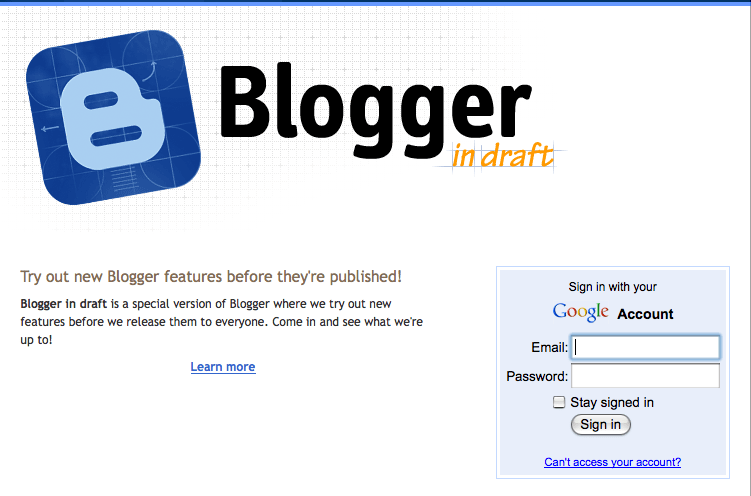
Step 2:

Go to Settings >>> Email & Mobile.
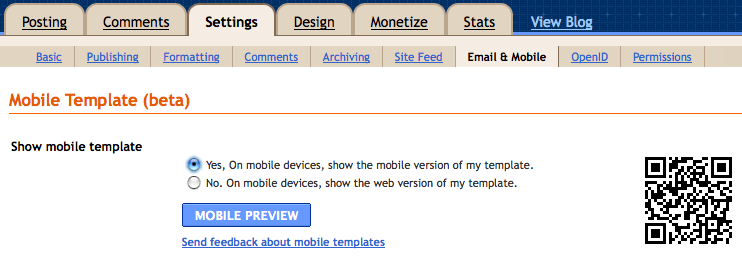

Step 3:

Under the “Show mobile template” section, click on “Yes, On mobile device…” and save.

Yup, your blogspot is now smartphone (iPhone, Androind, Blackberry) browsing friendly for your readers =)


written by marccus.   category: Tech Tips.   Total 1,919 views    


Thanks for your reply!
谢谢你的留言

Subscribe
Notify of
guest

This site uses Akismet to reduce spam. Learn how your comment data is processed.

0 Comments
Inline Feedbacks
View all comments


Subscribe
Notify of
guest

This site uses Akismet to reduce spam. Learn how your comment data is processed.

0 Comments
Inline Feedbacks
View all comments


Subscribe To Our Newsletter

Subscribe To Our Newsletter

Join our mailing list to receive the latest news and updates from our team.

You have Successfully Subscribed!

Pin It on Pinterest

0
Would love your thoughts, please comment.x
()
x